

Product tours and AI support agents solve different problems. An honest split for small SaaS teams: when a tour wins, when an answering agent wins, and how to start.
A small SaaS team usually needs an AI support agent first and a product tour later, if at all. Tours are good at one thing: walking every new user through the same first steps. An answering agent handles the questions you could not predict, at the moment a user gets stuck. This post compares the two honestly, including where tours are the better choice.
Two tools for two different moments
A product tour is a scripted sequence of tooltips, modals and checklists that plays at a set moment, usually right after signup. You decide the steps in advance. Every user who reaches that moment sees the same path.
An AI support agent waits for a question. The user asks in their own words, the agent answers from your help content, and, with in-app guidance like Guide Me, shows where to click on the real screen.
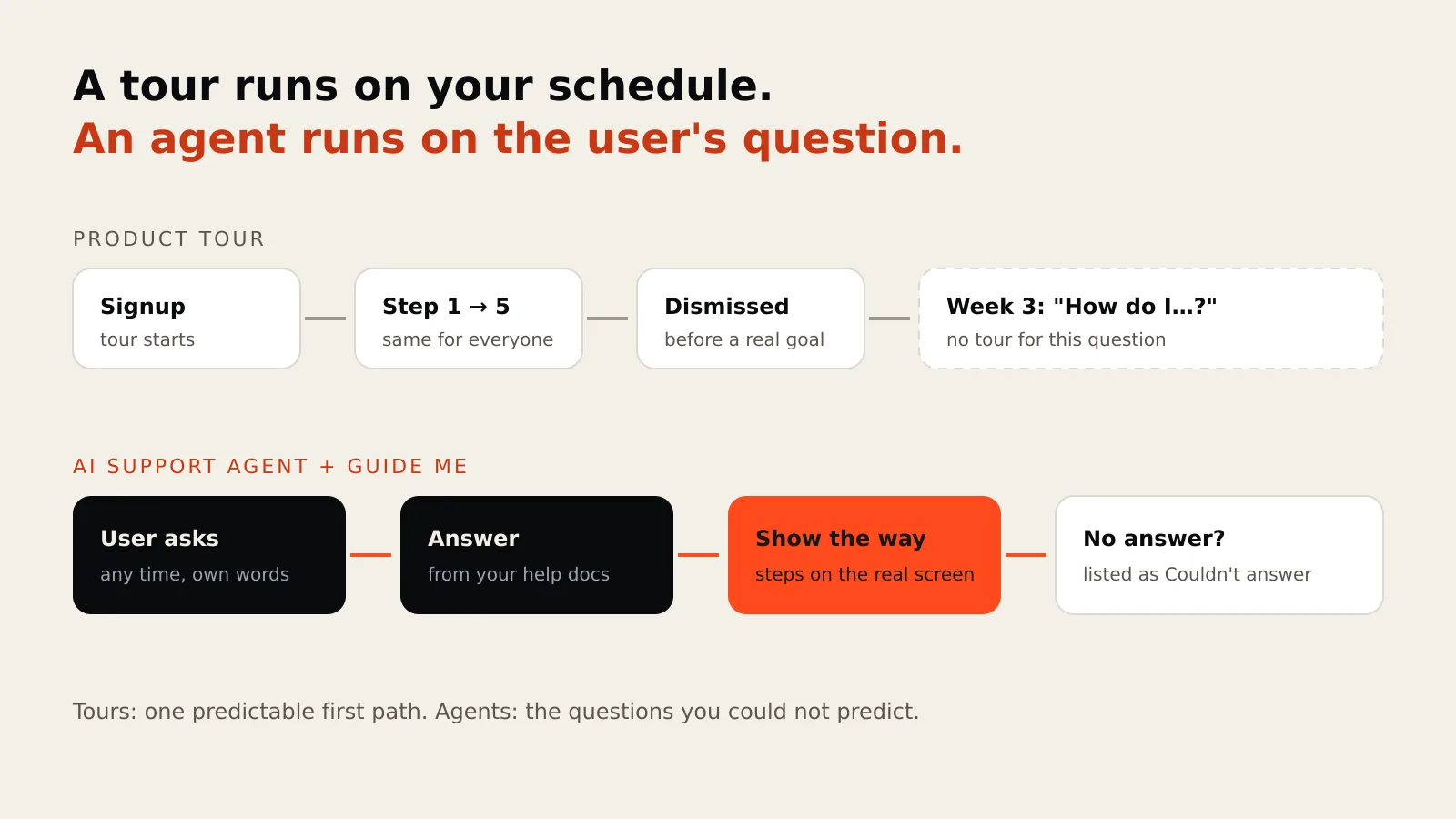
The difference that matters is who starts the conversation. A tour starts it on your schedule. An agent starts on the user's.
Where product tours win
Be fair to tours. They are the better tool when:
- Every user takes the same first path. One setup flow, one "aha" moment. A short tour gets people there.
- You want proactive nudges. Announcing a new feature, pointing to an unused setting, a checklist that tracks progress. An agent that waits for questions will not do this.
- You need product analytics on the flow. Dedicated onboarding platforms measure step completion, segment users and run experiments. That is their core job.
- There is little written help yet. A tour needs only the steps. An answering agent needs knowledge to answer from.
Where an answering agent wins
- The question comes weeks later. Most "how do I…" questions arrive long after the tour was dismissed.
- Paths differ by user. A clinic owner and a receptionist need different screens. The agent answers the question this person asked.
- You cannot predict the question. A tour covers what you scripted. Support tickets show how much you did not.
- You already have help docs or videos. The agent turns them into answers, and Guide Me turns a how-to into steps on the real screen.
- You want to see what is missing. Every question the agent could not answer is listed in Customers → Couldn't answer, so your backlog of help content writes itself.
Side by side
| Product tour | AI support agent with Guide Me | |
|---|---|---|
| Starts when | You decide (signup, feature launch) | The user asks |
| Covers | The paths you scripted | Anything in your knowledge |
| Shows where to click | Yes, on scripted steps | Yes, for guides you created |
| Answers open questions | No | Yes, from your docs |
| Needs written help content | No | Yes |
| Built from | Steps you configure | Help docs, plus guides recorded once or generated from a how-to document |
| Changes data for the user | Depends on the tool | Never: save, send and pay stay with the customer |
| Shows what users are missing | Drop-off in the flow | The questions it could not answer |
What a small team should do
Small teams do not have time to maintain two systems. A sensible order:
- Start with the questions you already get. Collect the top ten from your inbox and chat history.
- Turn them into short help articles, one task each, using the exact button names in your app. Add them to Knowledge.
- Add an answering agent where users get stuck: inside the app, not only on your marketing site.
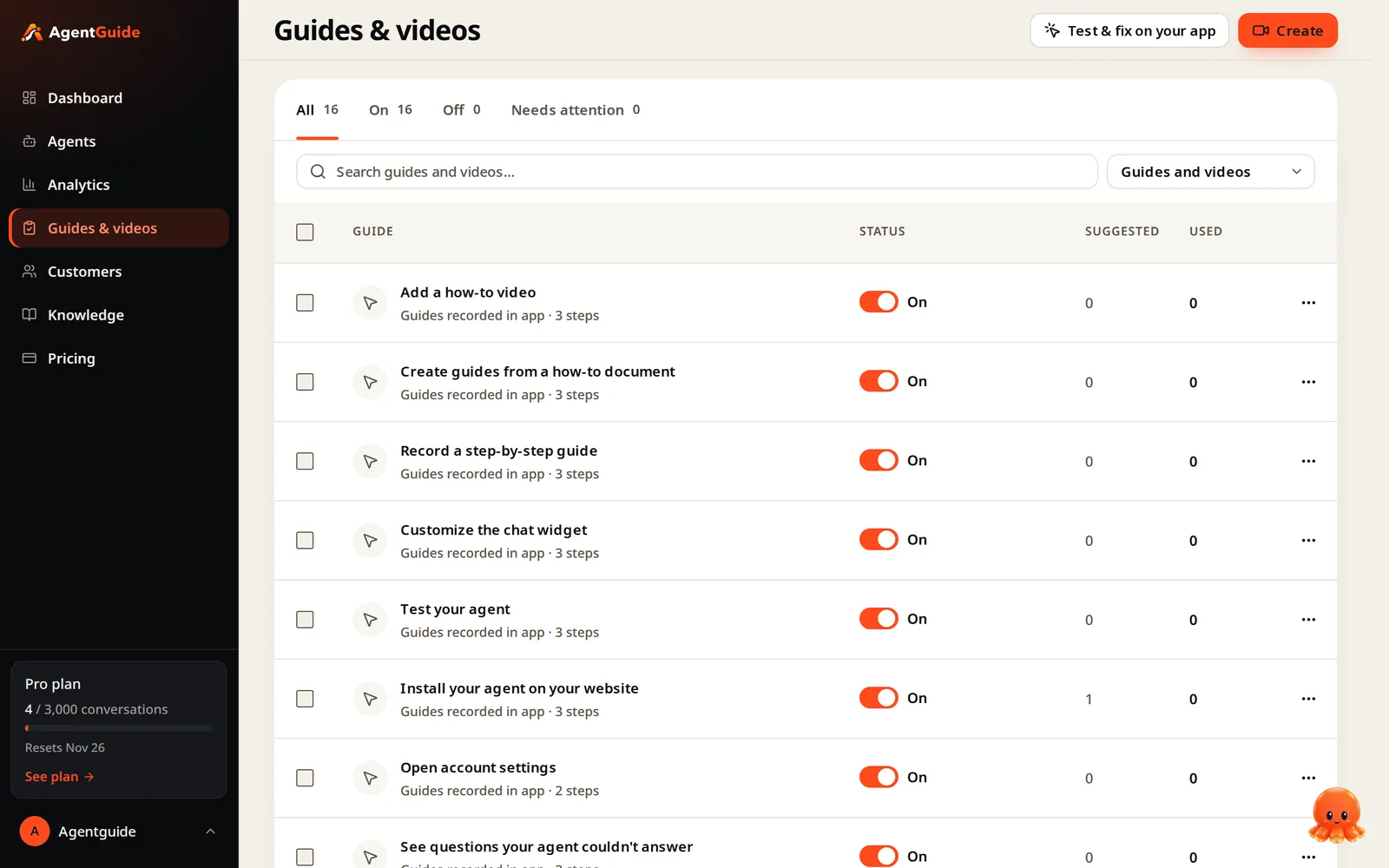
- Create guides for the questions with a clear path, by recording the task once or from the how-to article. See how guides are created.
- Review "Couldn't answer" weekly and fill the gaps.
- Add a short first-run tour later, only if you see most new users stall at the same step.
A note on "agents that do it for you"
Some tools in this space let the AI click every button, including Save. That shortens tasks, but it also means an AI makes changes in a customer's account. Guide Me deliberately stops before the final step; we explain the trade-off in Should an AI agent click Save for your users?.
Summary
- Tours are proactive and identical for everyone. Agents are reactive and specific to the question.
- Choose a tour for a single predictable first path, proactive announcements or flow analytics.
- Choose an answering agent for the long tail of "how do I…" questions, especially if you already have help content.
- Most small teams get more from the agent first, then add a short tour where data shows a common stall.
Start free: the Free plan includes Guide Me and 3 guides, with no credit card. See the Support Agent for details.