

Add videos in Guides & videos, describe what each one shows and turn on Show to customers. Then turn on Show your videos on the agent page: the agent plays one matching video in the chat when a customer wants to see how something works.
Some answers are easier to watch than to read: how a feature works, how a product is set up, what a room looks like. Your agent can play one of your videos right in the chat, next to its answer.
1. Add your videos
Open Guides & videos and click Add a video. Choose how:
| Way | What to know |
|---|---|
| Paste a link | YouTube, Vimeo or Loom. One link per line; several at once is fine. |
| Upload a file | MP4, MOV or WebM from your computer. |
| Record your screen | Pick a tab, a window or the whole screen. Works on a computer browser only. |
A video recorded with a guide is added too, and follows the guide's name.
2. Describe what each video shows
Open the video and fill in What this video shows with one sentence, in your customers' words: "How to import products from a CSV file". The agent reads the video's name and this sentence to pick the right one. A guide's video without a description is described by the guide's steps.
3. Let customers see it
Turn on Show to customers on each video the agent may send. Videos with it off stay visible only to your team and are never sent.
4. Turn it on for your agent
- Open your agent.
- Turn on Show your videos (Sales agent), Recommend helpful videos (Support agent) or Suggest helpful videos (Sales & Support agent). It is on by default for new agents.
- Choose which videos it may show (see the table below).
- Click Save.
| Choice | Which videos the agent may show |
|---|---|
| Suggest any video that fits (automatic) | Every video customers can see, including ones you add later. |
| Only videos I choose | Click Choose videos or Change videos and pick them. Videos you add later are not added on their own. With none chosen, the agent shows no video. |
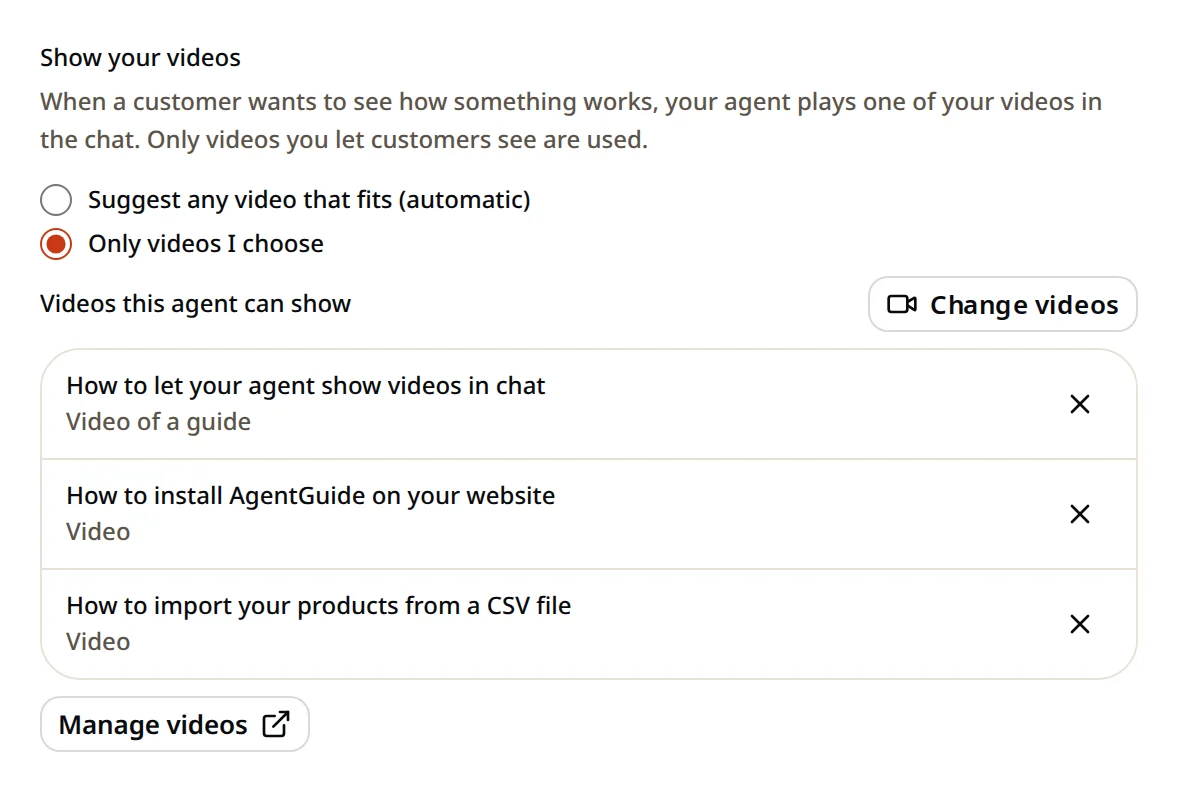
Use Only videos I choose when each agent should show its own videos, for example demos on a Sales agent and how-to videos on a Support agent.
What customers see
- When a customer wants to see how something works, the agent answers and adds one video card with the picture, name and length.
- The video plays in the chat, so the customer stays on your page. Links play in the YouTube, Vimeo or Loom player.
- The same video is not shown twice in one conversation. If a guide card already offers a guide's video, it is not sent again on its own.
- Questions that don't need a video, like prices, get a normal answer.
See who watched
- A lead from a conversation where the customer played a video shows Watched video with the video's name.
- Under Customers, filter by Watched a video.
Limits
Videos count with guides in your plan: up to 3 guides and videos on Free, 5 on Starter, 50 on Growth and 300 on Pro. See Plans and limits.