

Generate a secret, sign each user ID on your server with HMAC SHA-256, and call AgentGuide.identify. Customers then see their own conversation on every device, and shared computers stay private.
For websites where customers sign in, such as a SaaS app or a store with accounts. When you identify signed-in users:
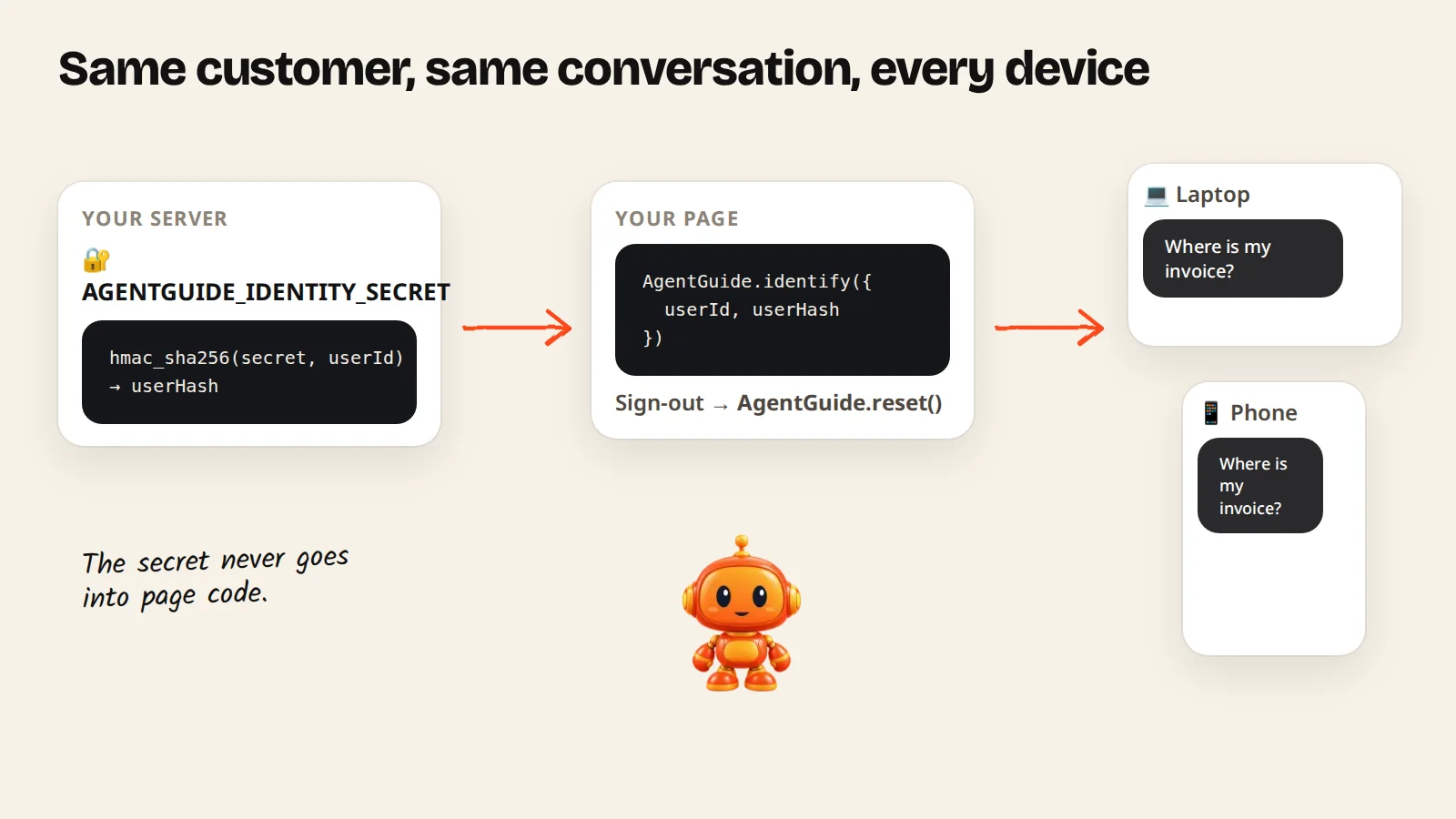
- a customer sees the same conversation on every device where they are signed in;
- on a shared computer, the next person doesn't see the previous person's chat.
This is optional. Your agent works without it.
1. Generate a secret
In Install agent → Advanced (optional) → Identify logged-in users, click Generate secret.
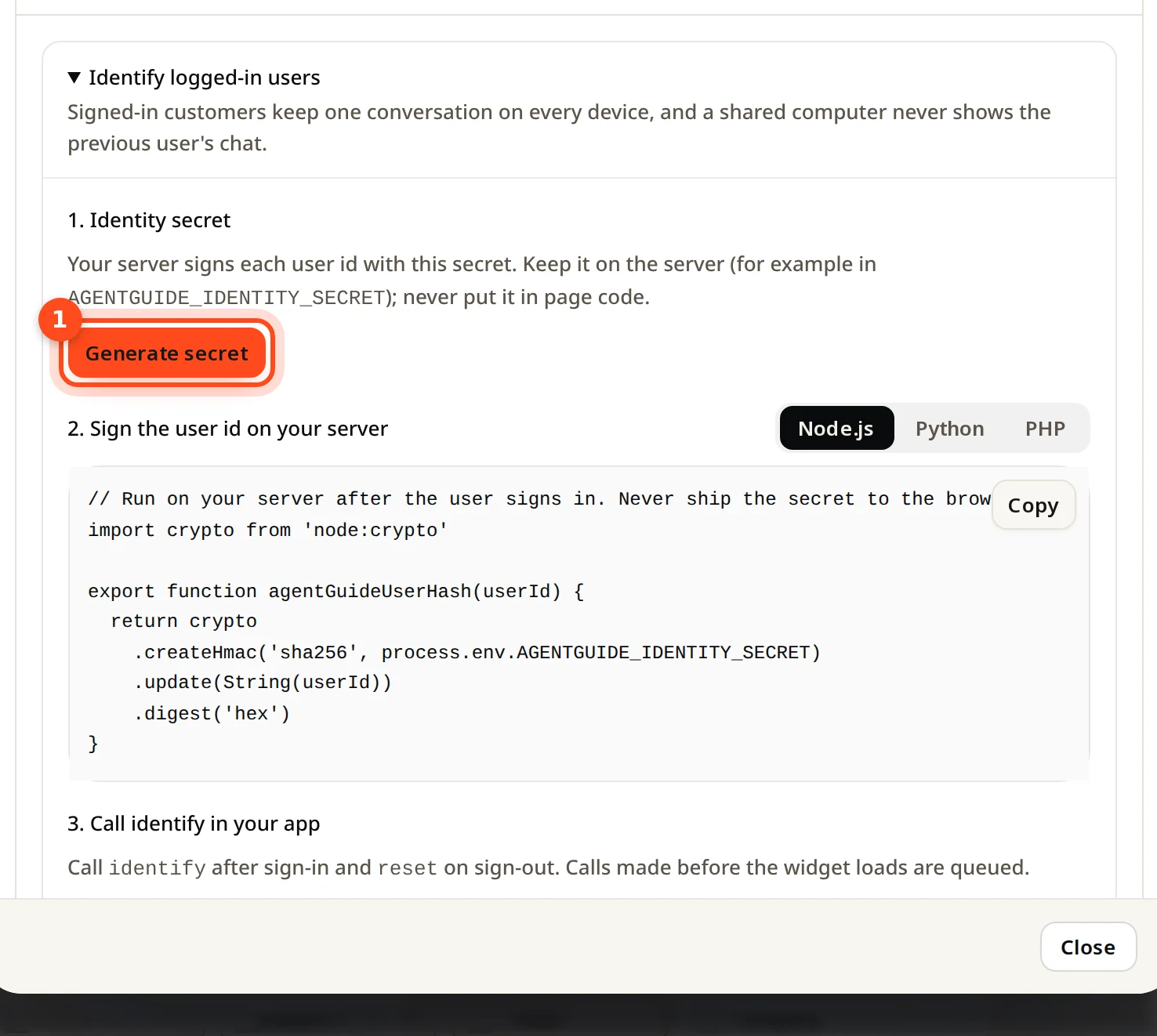
Keep it on your server only, for example in an environment variable named AGENTGUIDE_IDENTITY_SECRET. Never put it in page code.
2. Sign the user ID on your server
After the user signs in, sign their ID with the secret using HMAC SHA-256. Node.js example:
import crypto from 'node:crypto'

export function agentGuideUserHash(userId) {
  return crypto
    .createHmac('sha256', process.env.AGENTGUIDE_IDENTITY_SECRET)
    .update(String(userId))
    .digest('hex')
}
The install window also shows Python and PHP versions.
3. Add the queue code before the AgentGuide script
It keeps calls made before the agent has loaded:
<script>
  window.AgentGuide = window.AgentGuide || { q: [] };
  ['identify', 'reset', 'track'].forEach(function (m) {
    window.AgentGuide[m] = window.AgentGuide[m] || function () {
      window.AgentGuide.q.push([m].concat([].slice.call(arguments)));
    };
  });
</script>
4. Tell the agent who the user is
After sign-in, pass the user ID and the hash from your server:
<script>
  AgentGuide.identify({
    userId: 'USER_ID',
    userHash: 'USER_HASH_FROM_YOUR_SERVER',
    email: 'user@example.com', // optional
    name: 'Ada Lovelace'       // optional
  });
</script>
5. Reset on sign-out
When the user signs out, call AgentGuide.reset();. This starts a fresh visitor and conversation in that browser.
Track outcomes (optional)
With the same queue code, call AgentGuide.track(name) where an outcome happens, for example on a thank-you page: AgentGuide.track('signup'), or AgentGuide.track('purchase', { value: 49, currency: 'USD' }). Names are up to 40 characters. An outcome counts as "from a chat" when the same visitor chatted with your agent in the last 30 days. Results appear under Analytics → Outcomes.