

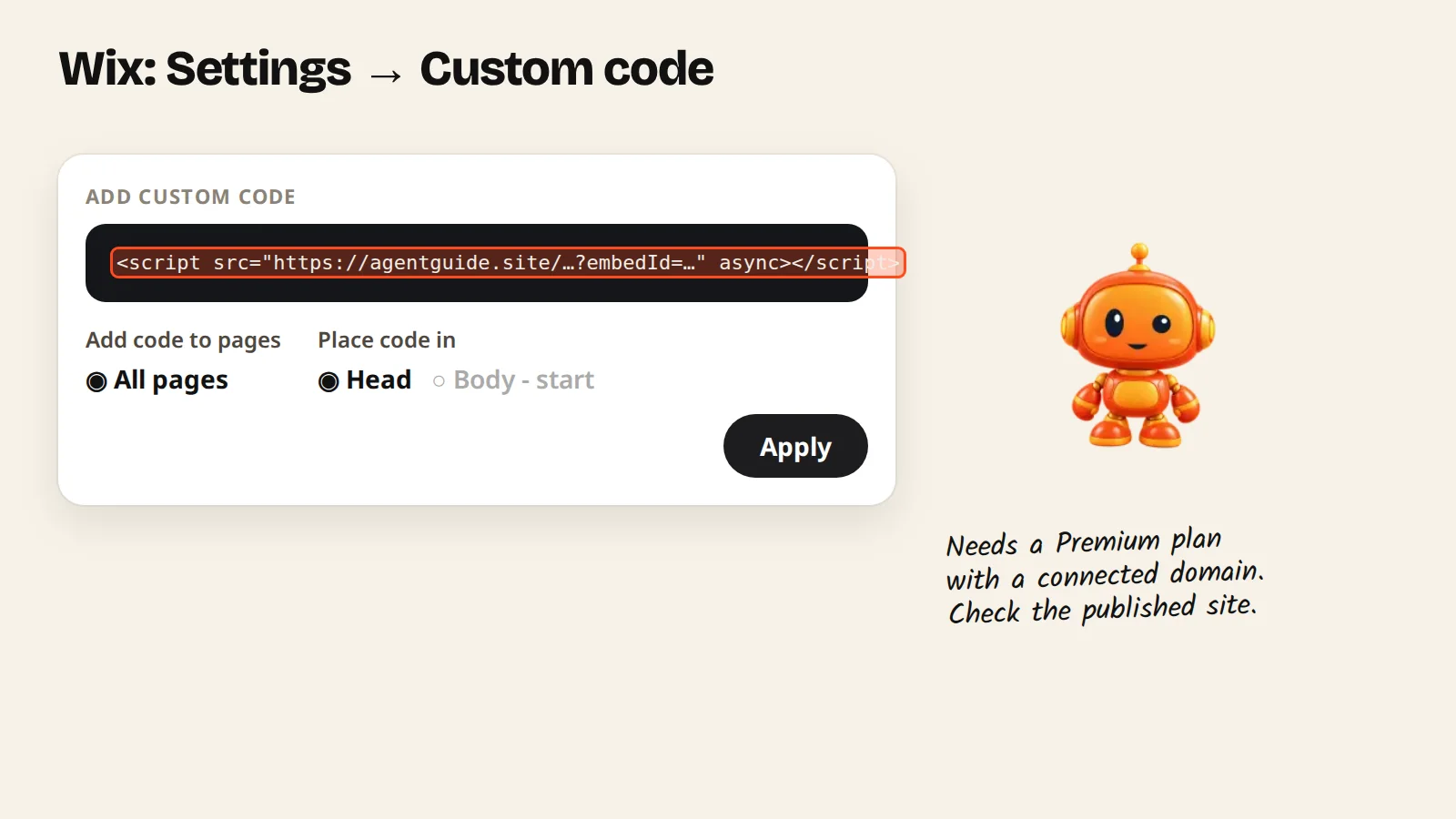
In Wix, open Settings → Custom code, paste your AgentGuide script, choose All pages and Head, then apply. Custom code needs a Wix Premium plan with a connected domain.
Wix lets you add a script to every page through Custom code. Wix only allows custom code on a Premium plan with a connected domain.
Steps
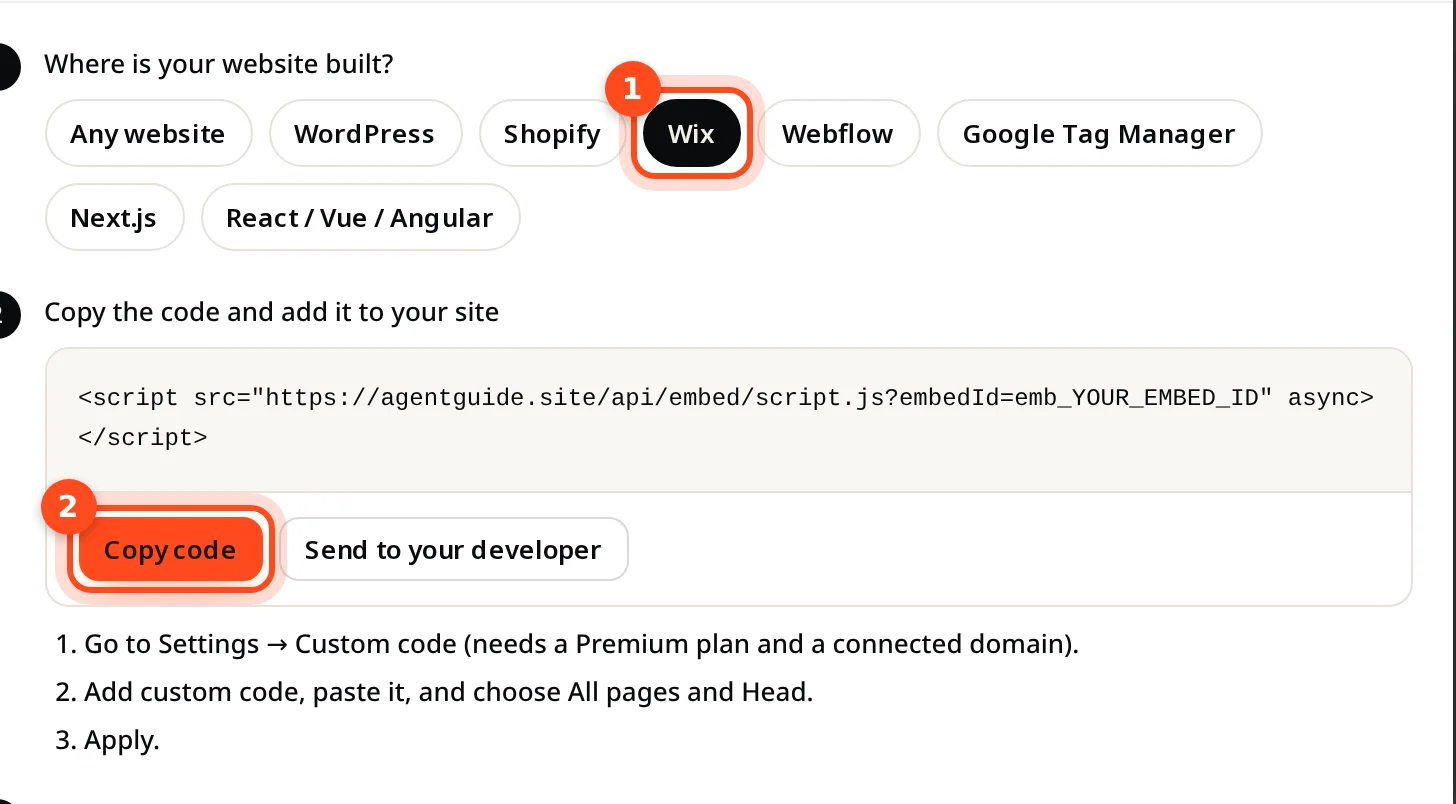
- In AgentGuide, open your agent → Install agent, pick Wix and click Copy code.
- In your Wix dashboard, go to Settings → Custom code (under Advanced).
- Click Add custom code and paste the code.
- Name it (for example "AgentGuide"), choose All pages and place it in Head.
- Click Apply, then publish your site.
- Open your published site. The install window in AgentGuide changes to Running on your address.
<script src="https://agentguide.site/api/embed/script.js?embedId=YOUR_EMBED_ID" async></script>