

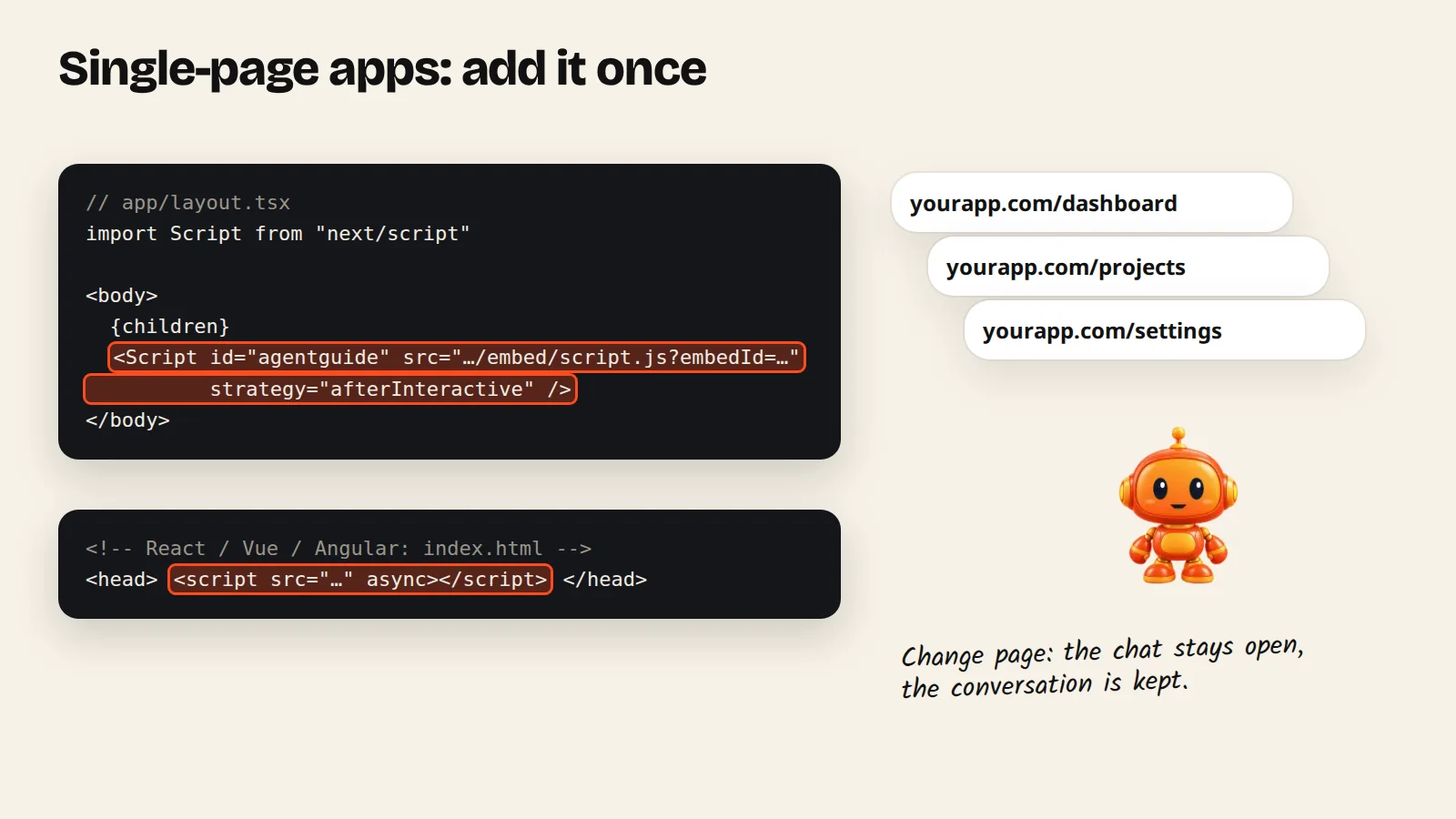
In Next.js, add the script once with the Script component in the root layout. In React, Vue or Angular, paste it inside <head> of index.html. Page changes inside the app are handled for you.
Single-page apps need the script only once. Moving between pages inside your app is handled automatically: the chat stays open, the conversation is kept, and the agent knows which page the user is on.
Next.js
In Next.js, use the Script component instead of a plain <script> tag. Pick Next.js in the install window to get this code:
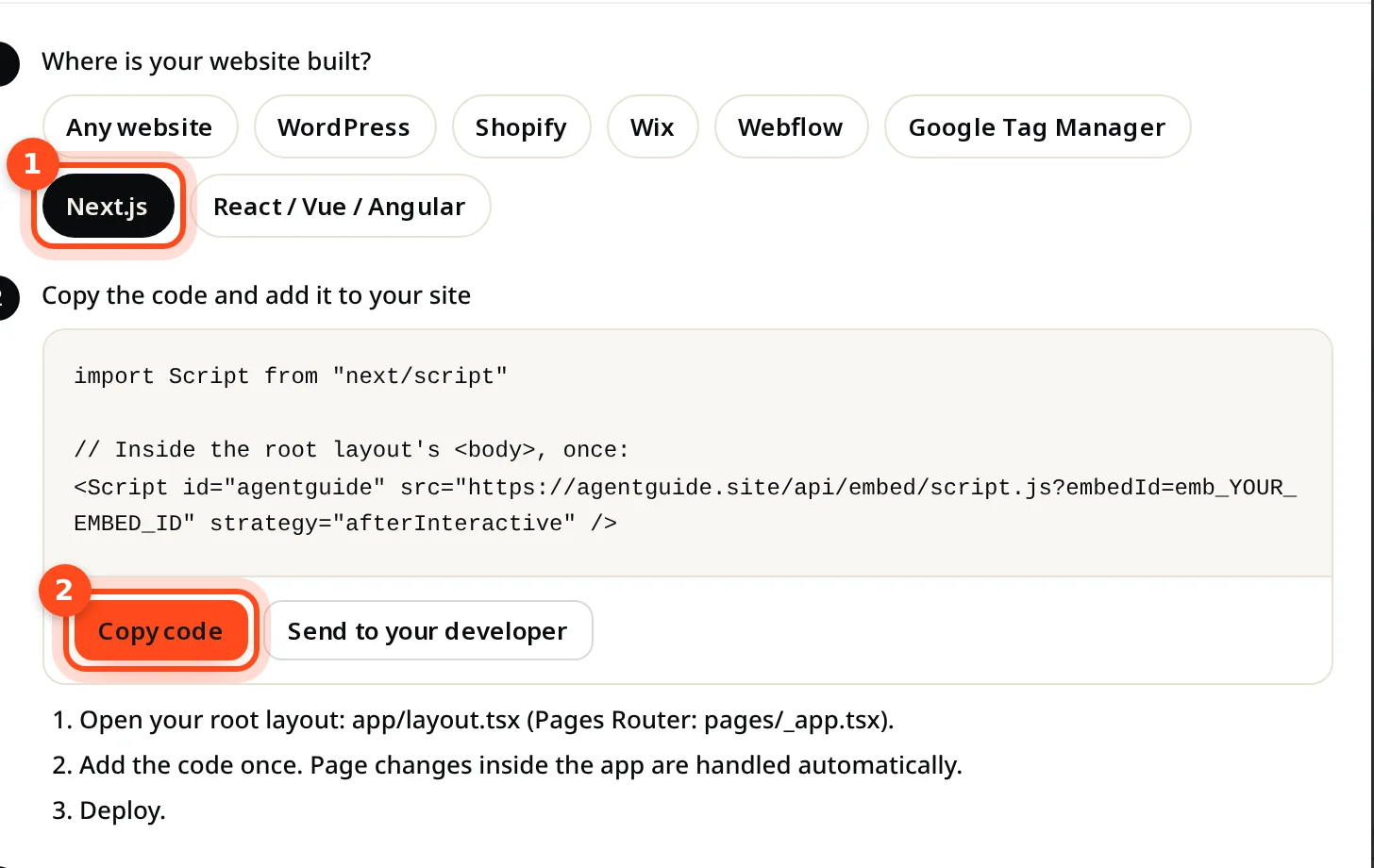
import Script from "next/script"

// Inside the root layout's <body>, once:
<Script id="agentguide" src="https://agentguide.site/api/embed/script.js?embedId=YOUR_EMBED_ID" strategy="afterInteractive" />- Open your root layout:
app/layout.tsx(Pages Router:pages/_app.tsx). - Add the code once.
- Deploy.
React, Vue or Angular
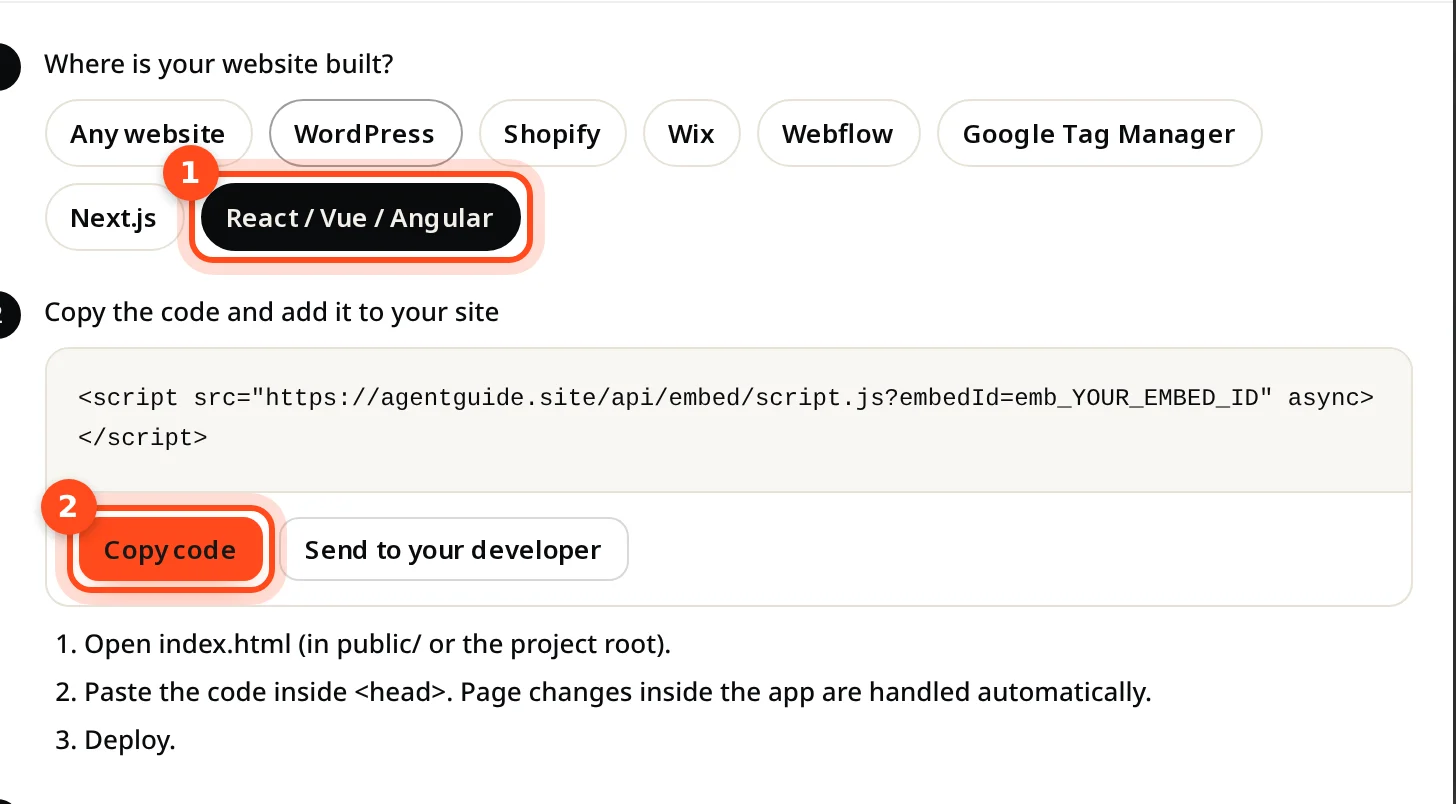
- Open
index.html(inpublic/or the project root). - Paste the code inside
<head>. - Deploy.
<script src="https://agentguide.site/api/embed/script.js?embedId=YOUR_EMBED_ID" async></script>Show the agent inside your signed-in app
A Support agent works best inside your app, where Guide Me can point to the real buttons. Two optional extras for developers:
- Identify signed-in users, so each customer sees their own conversation on every device.
- Track outcomes such as signups or purchases with
AgentGuide.track(name); results appear under Analytics → Outcomes.
If your app sends a strict Content-Security-Policy, see Allow AgentGuide in a Content Security Policy.