

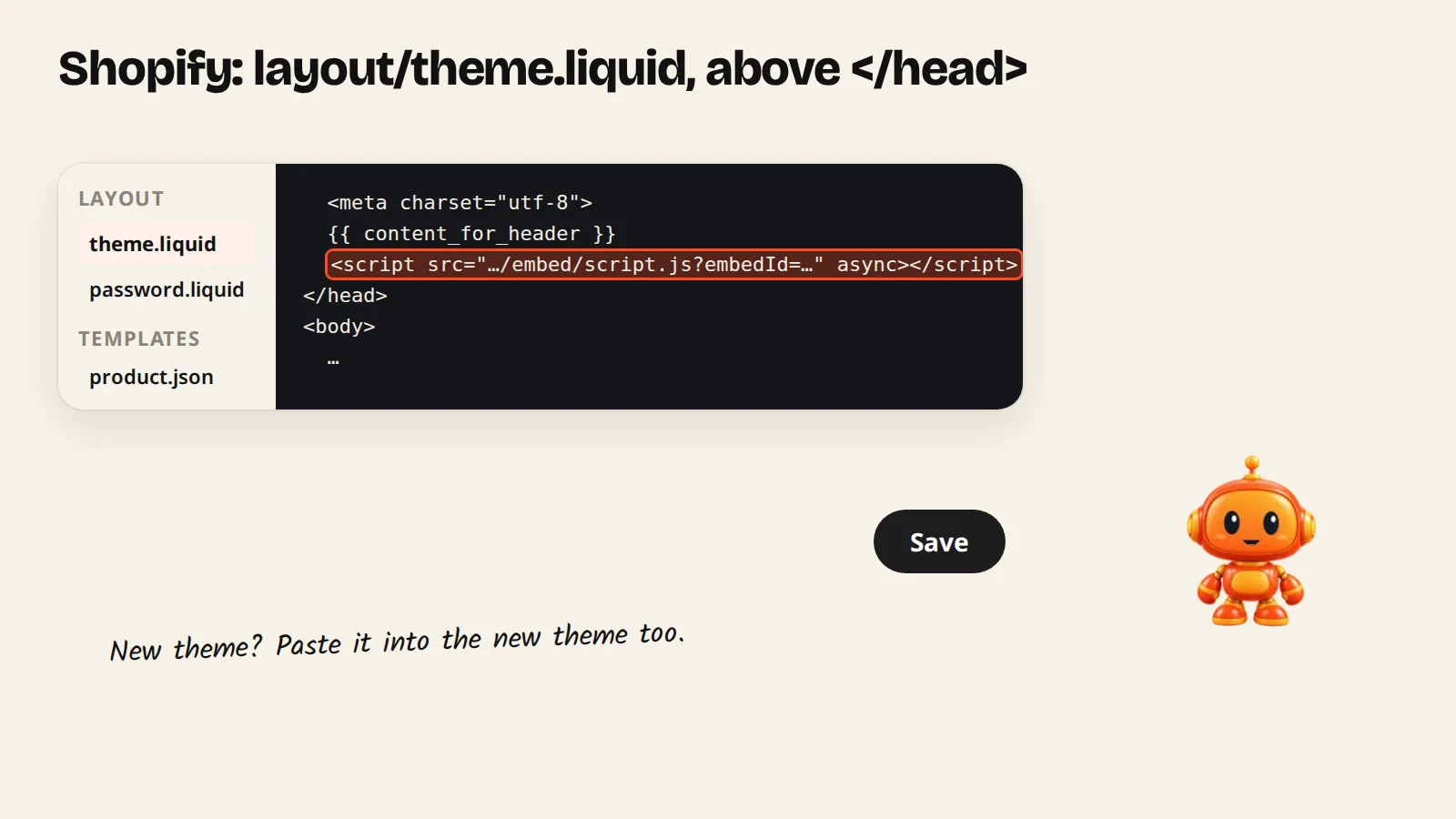
Paste your AgentGuide script into layout/theme.liquid just above </head>, then save. The agent shows on every page of your store.
On Shopify you paste the script once into your theme layout, and the agent appears on every page of your store: home, collections, product pages and cart.
Steps
- In AgentGuide, open your agent → Install agent, pick Shopify and click Copy code.
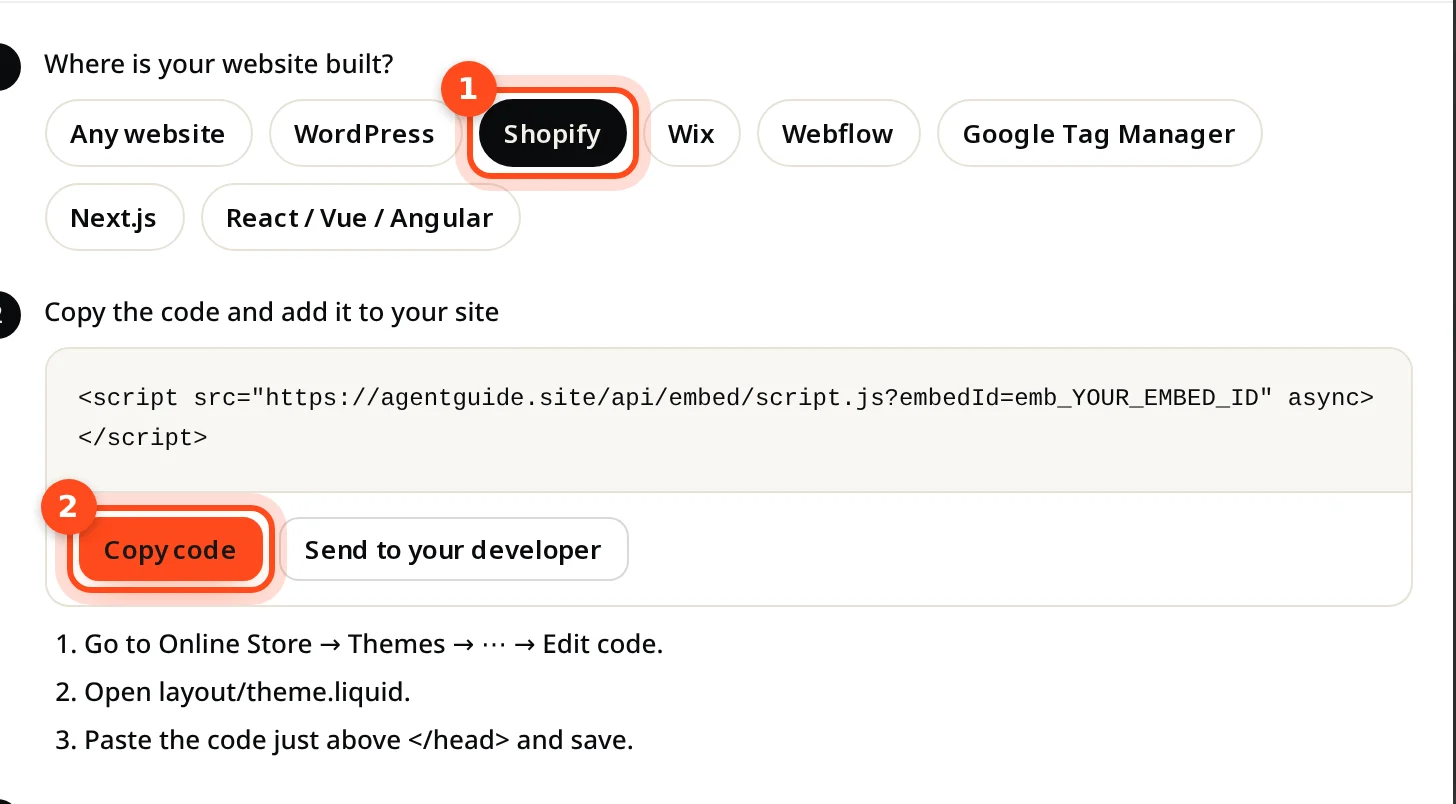
- In Shopify admin, go to Online Store → Themes.
- Next to your current theme, click ⋯ → Edit code.
- Open
layout/theme.liquid. - Paste the code just above
</head>and click Save. - Open your store. The install window in AgentGuide changes to Running on your address.
<script src="https://agentguide.site/api/embed/script.js?embedId=YOUR_EMBED_ID" async></script>Let the agent recommend your products
A Sales agent recommends products from your catalog with photo, price, a short reason why each fits, and a link to the product page. To give it your products:
- Knowledge → Add knowledge → Import from website → Products, or
- Upload files with a product list as CSV or JSON.
Prices and stock in the answers come from your last import, so import again after big catalog changes.