Add manually → Add a product (name, price, stock, link, image) or Add a plan or service (price, billing period, best for, limits, features). A Sales agent recommends and compares them.
A Sales agent recommends and compares what you sell. Add items here when you don't have a store to import from, or for plans and services.
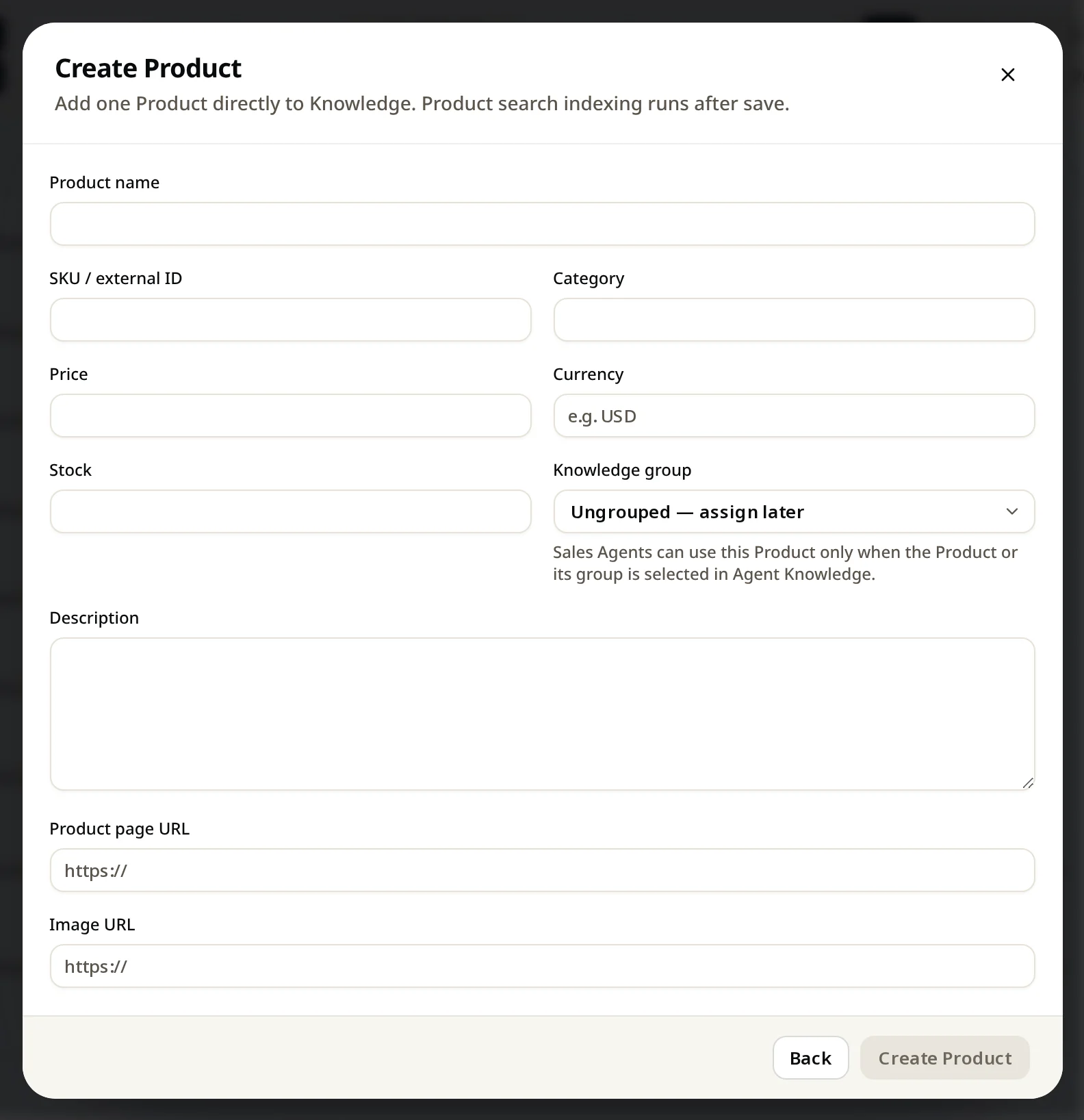
Add a product
Knowledge → Add knowledge → Add manually → Add a product. Fill in the name, price and currency, plus anything that helps: category, stock, description, product page link and image link. Pick a group, then click Create Product.
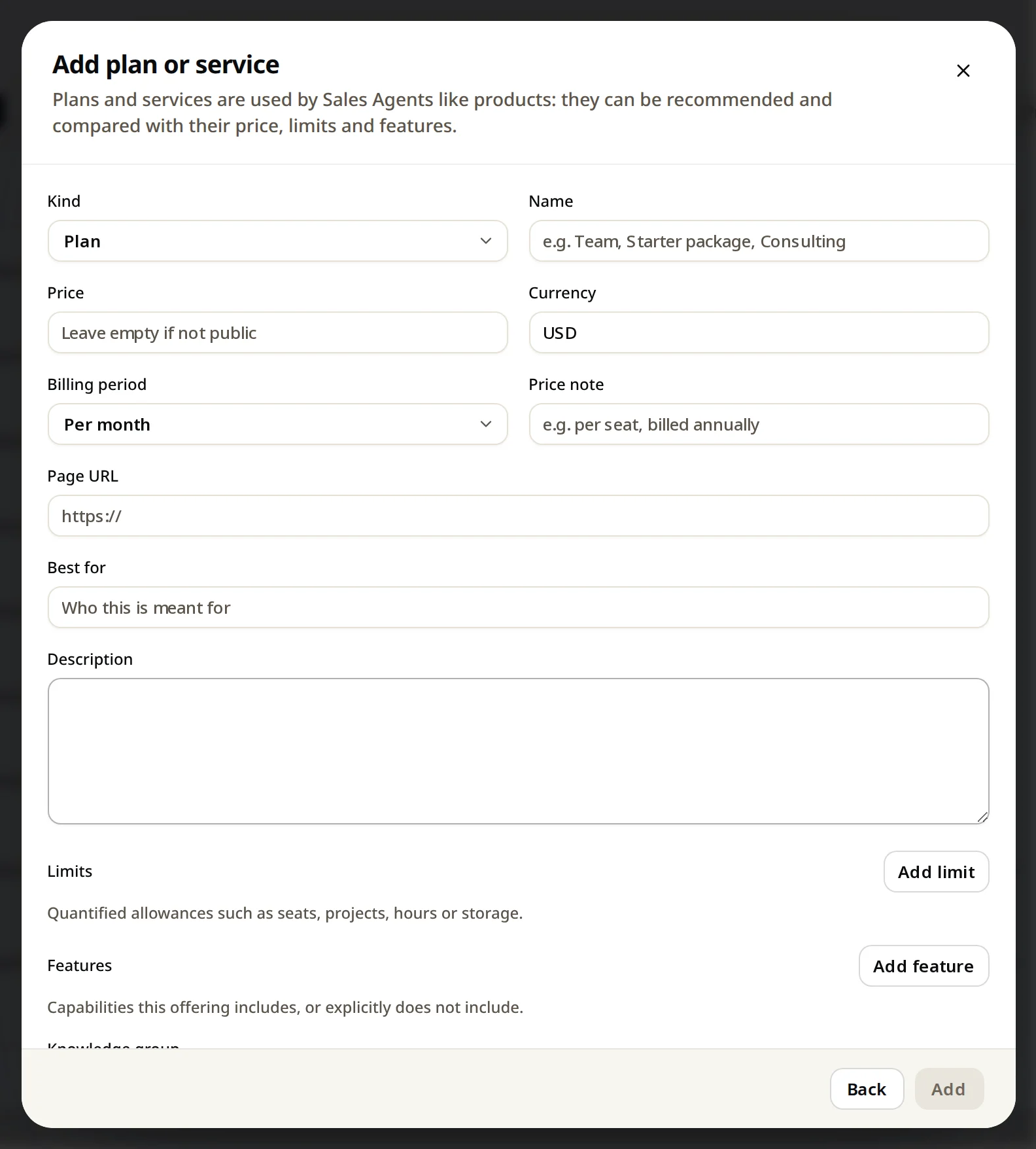
Add a plan or service
Add manually → Add a plan or service. Choose Plan or Service, then fill in:
| Field | Example |
|---|---|
| Name | Growth, Starter package, Consulting |
| Price + currency | 79 USD (leave empty if not public) |
| Billing period | Per month, per year, one-time, usage-based, custom |
| Price note | per seat, billed annually |
| Best for | Teams with up to 1,000 chats a month |
| Limits | 3 agents, 2,000 documents |
| Features | Lead scoring, webhook (or what it does not include) |